


Access to the settings page is protected by a user name and password.
With the factory settings, you can log in with the following credentials:
User name: smartpi
Password: smart4pi
Measurement settings
Frequency
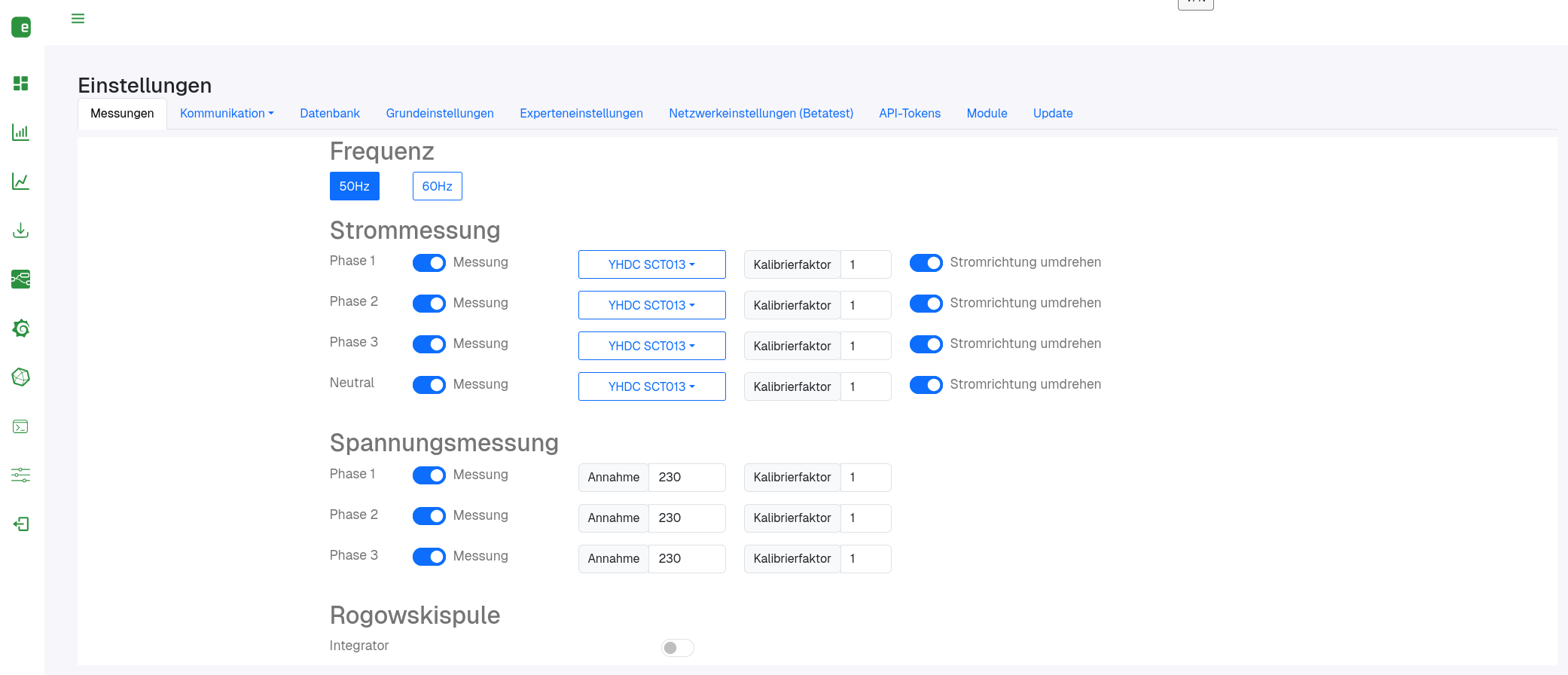
Two buttons: 50Hz or 60Hz. The currently selected value is highlighted in blue. Example: in Europe you select 50Hz, in North America 60Hz. A click saves immediately.
Current measurement
Each phase (phase 1–3) and the neutral conductor has its own row with the same structure:
- Measurement: switch that determines whether the current of this phase is measured at all.
In this section, individual phases can be activated and deactivated.
Note: The neutral conductor can only be measured with the SmartPi 3.1. - CT type: For each phase, you can set which type of split-core current transformer is connected.
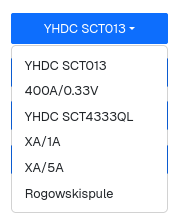
You can select the current sensor used from a drop-down menu:- YHDC SCT013, YHDC SCT4333QL, 400A/0.33V, XA/1A, XA/5A or Rogowski coil.
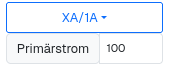
- With XA/1A or XA/5A, the additional field Primary current appears – the rated current for which the transformer is designed (example:
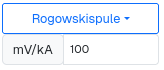
100for a 100 A/5 A transformer). - With Rogowski coil, mV/kA appears instead – the coil's characteristic according to the data sheet in millivolts per kiloampere (example:
100).
- Calibration factor: multiplier for fine adjustment if the display deviates from the actual measured load. Default
1, example1.02for a +2 % correction. - Reverse current direction: switch for the case where the current transformer has been mounted the wrong way round and the power is displayed as negative.
Rogowski coil
- Integrator: switch for the signal integrator. Rogowski coils supply a differentiated signal (proportional to the rate of change of the current, not to the current itself) – the integrator calculates the actual current value from it. It must be enabled as soon as "Rogowski coil" is selected as the CT type for any phase above.
- Mixed operation of split-core current transformers and Rogowski coils is not possible.
Voltage measurement
While the SmartPi measures current contactlessly (and therefore safely) using current transformers, voltage measurement requires the SmartPi's voltage measurement path to be connected directly to the phases of the mains supply.
This may only be done by suitably trained qualified personnel.
For this reason, the SmartPi alternatively allows you to dispense with voltage measurement and enter a voltage that is assumed when measuring power.
To do this, disable the Measurement switch and enter the voltage to be used for the calculation in the field to the right of it.
For phases 1–3 (no neutral conductor row):
- Measurement: switch that determines whether the voltage of this phase is measured.
- Assumed value: assumed voltage value, e.g.
230(volts) – used as long as no voltage measurement of its own is active. - Calibration factor: as for current measurement, default
1.
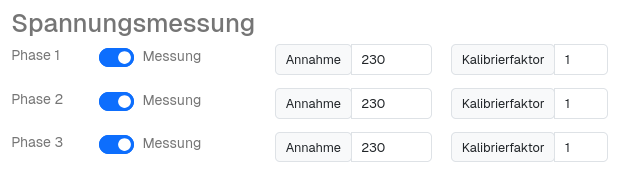
Voltage measurement settings