



In its factory settings, the e.manager is preconfigured for “DHCP” (Dynamic Host Configuration Protocol).
If your router is also set to “DHCP”, the e.manager is automatically assigned an IP address and you do not need to make any further configuration for the LAN modem.
Connect the RJ-45 socket of the e.manager nD to a free Ethernet port on your router. Use a standard network cable for this.
If the router supports name resolution, you can reach the e.manager at: https:// e.g. https://END123456789.
If this is not the case, please check in the router which IP address the e.manager has been assigned, or use an IP scanner (e.g. AngryIP)
Encryption
The connection to the e.manager nD is made exclusively via an encrypted SSL connection. You may therefore see a security warning when you open the page for the first time. You only need to confirm this once. To do so, please click "Advanced" and add an exception, or proceed directly to the page.
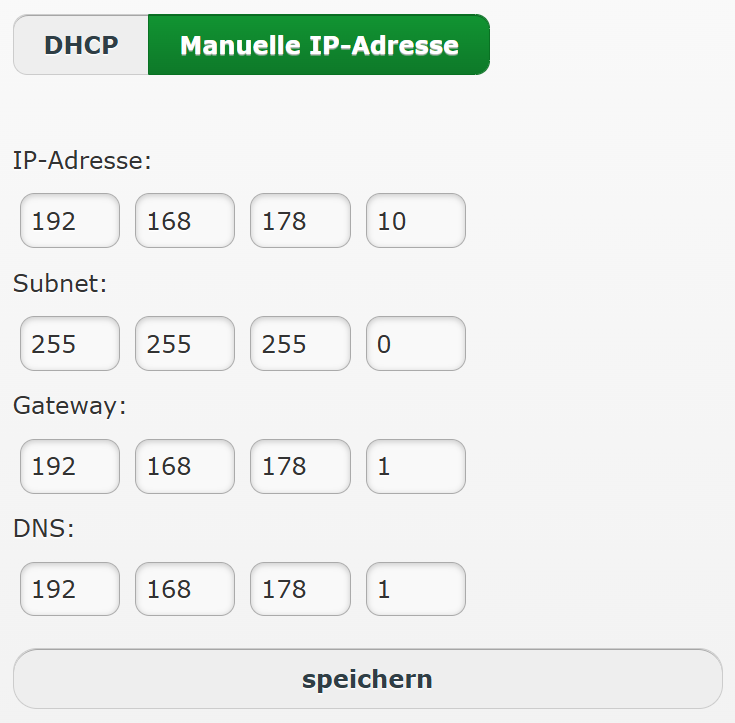
Network settings
Here you can switch between automatic address assignment (DHCP) and a manual IP address.
When using a manual IP address, make sure that you enter the DNS and gateway settings correctly.
Emergency IP address
The e.manager has an emergency IP address through which you can reach the device if necessary.
- Is your laptop set to DHCP?
- Connect the RJ-45 socket of the e.manager directly to your laptop.
- Approx. 2 minutes after connecting, the laptop should have an IP address in the 169.254.x.x address range. If you use a static IP address, please make sure that the first three blocks of the IP address read 169.254.1.x.
- You can access the web interface of the e.manager at the following IP addresses.
- There, configure the network settings that apply to your version.
e.manager web interfaces:
- e.manager nD Version 2: 169.254.4.10
- e.manager nD: 169.254.1.10
- e.manager: 169.254.1.10
- e.manager dc: 169.254.4.10
- e.manager mc Version 2: 169.254.4.10
- e.manager mc: 169.254.4.10
Firewall / ports
The e.manager does not require any port forwarding from outside.
With a standard router configuration (FritzBox, Speedport) no changes are necessary.
The following ports must be open for outgoing connections:
- Data connection to the portal: emg1.enerserve.eu port 80, 443 TCP
- Time synchronisation: pool.ntp.org port 123 UDP
- FTP upload: 21 (optional)
- VPN connection to the portal: 1.vpn.enerserve.eu port 443 TCP
- VPN connection for direct marketing: please ask us, usually port 443 TCP, 1194 UDP