


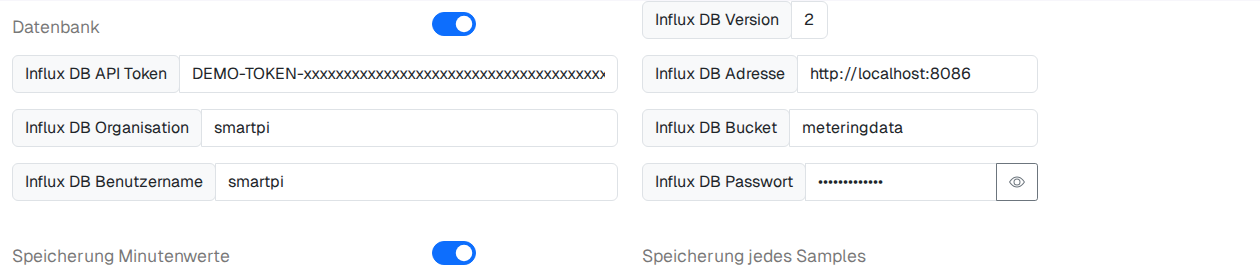
- Database (switch): enables/disables writing to the database.
- Influx DB version: display only, showing which InfluxDB API version is used – cannot be edited.
- Influx DB API token: the access token for InfluxDB 2.x. It is shown in plain text (not a password field) – protect your screen accordingly. To change the token, generate a new API token in the InfluxDB 2 interface and enter it here.
- Influx DB address: the URL of the InfluxDB server, e.g.
http://localhost:8086. - Influx DB organisation: the organisation in InfluxDB 2.x, e.g.
smartpi. - Influx DB bucket: the target bucket (comparable to a database/table), e.g.
meteringdata. - Influx DB user name / Influx DB password: access credentials, if the InfluxDB instance requires them (often not needed with pure token authentication).
- Store minute values (switch): switches between two storage modes: minute values (aggregated values per minute, saves considerable storage space) and every sample (every single measured value, finer resolution but more storage required). The label directly next to the switch in the interface shows which switch position corresponds to which mode – if in doubt, toggle it once and observe the effect.
All fields are saved immediately whenever you change them.